Load graph data into Garphield
Use File → Data library for bundled networks or File → Open for your own files. Opening data replaces the network in the workspace.
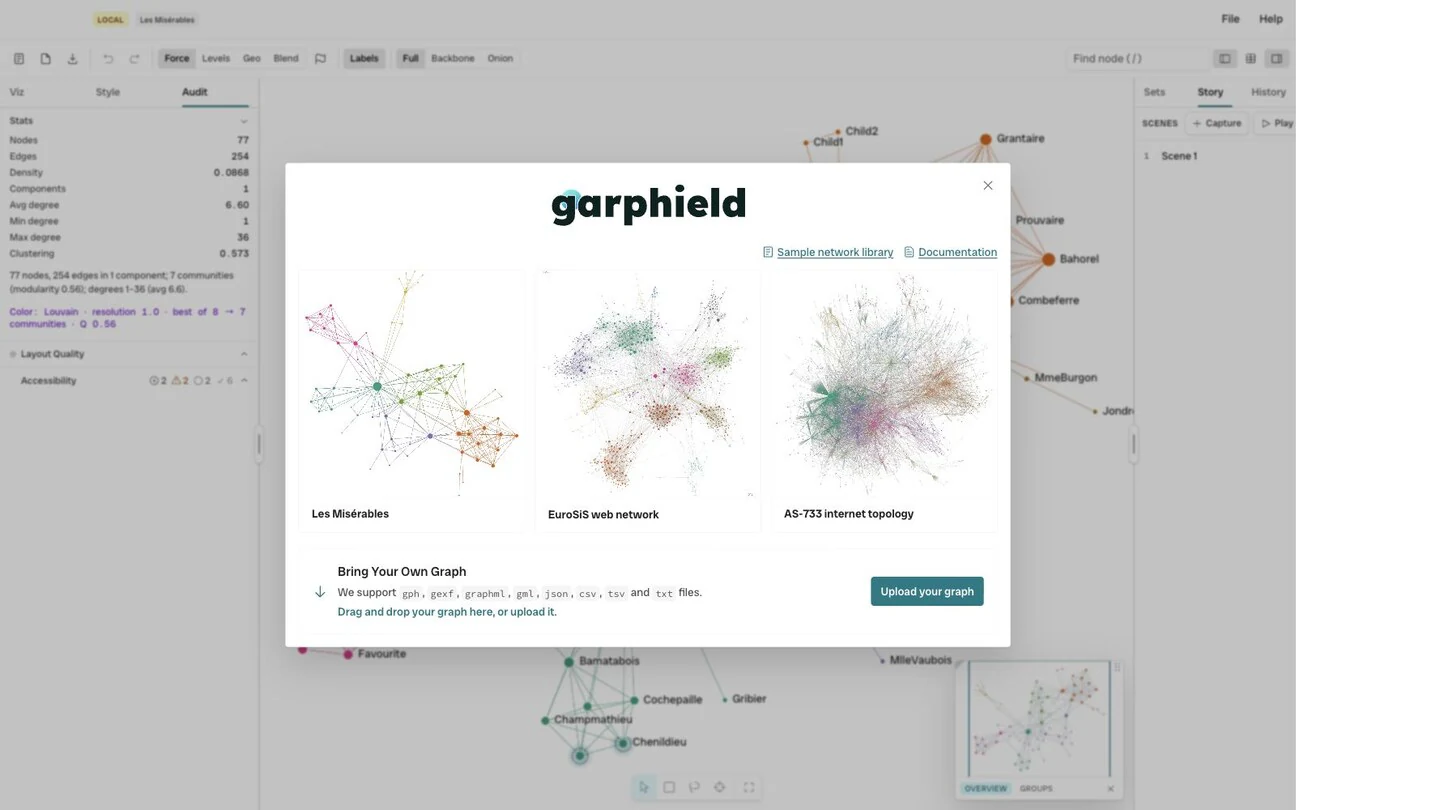
- Sample library
- Upload
Open a network file
Section titled “Open a network file”Garphield opens .gph, GEXF, GraphML, GML, Graphviz DOT, node-link JSON,
compact JSON, graph6, sparse6, digraph6, Matrix Market, CSV, TSV, and text
edge lists. A .gph project also restores the Garphield workspace.
See Supported file formats for format details.
Open an edge list
Section titled “Open an edge list”A table with source and target headers opens as an edge list. Header
matching is case-insensitive. Other columns become link attributes.
source,target,relationship,weightada,grace,worked-with,3grace,linus,influenced,1Open node and link tables
Section titled “Open node and link tables”Select two CSV or TSV files together:
- a link table with
sourceandtargetcolumns; and - a node table with an
idcolumn, or another key matching the link endpoints.
Garphield identifies the tables from their headers. Node columns become node
attributes. A label or name column is used as the displayed label.
Build a network from a flat table
Section titled “Build a network from a flat table”If a CSV has no source and target pair, choose two columns in the
construction dialog. Build a bipartite network between the columns or a folded
network between values that share a context.
Load a URL
Section titled “Load a URL”Pass a graph URL through the file parameter. Garphield accepts http:,
https:, and data: URLs. Relative same-origin URLs work too. A blob: URL
is browser-context-local: it works only in the browser context that created it,
so it cannot be copied to another browser or reopened later.
https://garphield.com/?file=https%3A%2F%2Fexample.com%2Fnetwork.gexfCross-origin HTTP(S) servers must allow the browser request with CORS headers.
Same-origin, data:, and same-context blob: sources do not need a
cross-origin server request. Prefer HTTPS for hosted files: browsers normally
block an http: file request from the production HTTPS site as mixed active
content.
When loading through the Automation API, await the observable
FileLoadResultV1 result rather than treating a resolved call or a UI toast as
completion:
const result = await Promise.resolve( window.garphield.run("file.load", { url, format: "gexf" }),);if (!result?.ok) throw new Error(result?.error?.message ?? "Load failed");if (result.value.status === "construction-required") { throw new Error("This table needs an explicit graph construction recipe");}status: "loaded" means the graph has been replaced; use layout.wait if
settled positions are required. Fetch, network, and CORS acquisition failures
return LOAD_FAILED with retryable: true. Once bytes/string acquisition
completes, decode, parse, schema, and format failures return LOAD_FAILED
with retryable: false; the error message and URL details are preserved and
the current graph remains in place. A superseded request returns
STALE_STATE with retryable: true and does not show an obsolete toast.
To diagnose a hosted URL in the same browser context as Garphield, probe it with
browser fetch and inspect the response headers. A browser CORS preflight is an
OPTIONS request caused by a non-safelisted method, a request header such as
Authorization, or a non-safelisted content type. A normal file.load GET is
usually a simple request, but it still needs Access-Control-Allow-Origin; the
server must answer a preflight with an allowed origin and requested
method/headers.
const probe = await fetch(url, { mode: "cors" });if (!probe.ok) throw new Error(`HTTP ${probe.status}`);await probe.arrayBuffer();An optional header check is:
curl -sS -D - -o /dev/null -H 'Origin: https://garphield.com' "$GRAPH_URL"Access-Control-Allow-Origin must be * or https://garphield.com. A rejected
preflight or missing ACAO makes the direct browser fetch reject or reveals the
missing header. file.load returns LOAD_FAILED with the failure message and
URL details and preserves the current graph; a fetch/CORS failure is retryable,
while malformed content is not. A successful curl body fetch alone does not
prove that a browser can read the response; the browser probe and the
file.load error envelope are the useful signals.
Garphield normally chooses a parser from the URL path:
| URL suffix | Parser / format value |
|---|---|
.dot, .gv |
dot |
.gexf, .gexf.xml |
gexf |
.graphml |
graphml |
.gml |
gml |
.json or an unknown/absent suffix |
JSON content sniffing; defaults to nodeLink |
.compact.json, .gf.json |
compactJson |
.csv, .tsv |
csv |
.txt |
csv; use format=edgeList for whitespace edge lists |
.edges, .edgelist, .el |
edgeList |
.mtx |
matrixMarket |
.g6 |
graph6 |
.s6 |
sparse6 |
.d6 |
digraph6 |
.gph |
gph |
For an extensionless or ambiguous URL, add an authoritative format query
parameter. Accepted values are dot, gexf, graphml, gml, nodeLink,
compactJson, csv, edgeList, matrixMarket, graph6, sparse6,
digraph6, and gph. The hint overrides the path and the default parser.
Load inline data (no hosting)
Section titled “Load inline data (no hosting)”file accepts a data: URL, so a small graph can be embedded directly in a
Garphield link. The browser resolves it client-side with no network request or
CORS requirement.
Use an accurate MIME type for the URI (application/json, text/csv, or
application/xml, for example), but also pass format. Garphield’s MIME type
does not select the parser: URL suffix detection and the explicit format hint
do. An extensionless JSON URI happens to default to nodeLink; CSV, GraphML,
GEXF, and other extensionless sources need their explicit format to dispatch
reliably.
Compact JSON is the shortest agent-friendly form when numeric array indices are acceptable. A node’s array position is its node ID; edges use those positions:
{"nodes":["Alice",{"label":"Bob","group":"staff"},"Carol"],"edges":[[0,1],[1,2,{"weight":2}]],"directed":true}directed and multigraph default to false. Node objects and the optional
third link-tuple object carry attributes. Use node-link JSON instead when stable
external IDs, edge keys, or graph-level attributes matter.
Base64 is the recommended inline form. Build the complete data: URI first,
then percent-encode the entire URI because it is the value of the file query
parameter. That second encoding turns base64’s +, /, and = into %2B,
%2F, and %3D.
https://garphield.com/?file=<PERCENT_ENCODED_DATA_URI>&format=compactJsonPython:
import base64import jsonimport urllib.parse
mini = json.dumps(graph, separators=(",", ":"))b64 = base64.b64encode(mini.encode()).decode()data_uri = "data:application/json;base64," + b64url = (    "https://garphield.com/?file="    + urllib.parse.quote(data_uri, safe="")    + "&format=compactJson")
JavaScript:
const mini = JSON.stringify(graph);const bytes = new TextEncoder().encode(mini);const binary = Array.from(bytes, (byte) => String.fromCharCode(byte)).join("");const dataUri = `data:application/json;base64,${btoa(binary)}`;const url = `https://garphield.com/?file=${encodeURIComponent(dataUri)}` + "&format=compactJson";The plaintext variant avoids base64 but is usually longer after JSON punctuation is escaped. Percent-encode the JSON inside the URI, then encode the complete URI again as the query value:
mini = json.dumps(graph, separators=(",", ":"))data_uri = "data:application/json," + urllib.parse.quote(mini, safe="")url = ( "https://garphield.com/?file=" + urllib.parse.quote(data_uri, safe="") + "&format=compactJson")graph6-family values are already printable ASCII and should stay plaintext.
They have no filename inside a data: URI, so always supply the authoritative
hint—for example:
https://garphield.com/?file=data%3Atext%2Fplain%2CDQc&format=graph6graph6, sparse6, and digraph6 carry topology only. Garphield labels their nodes
0, 1, … and cannot recover names, attributes, positions, or styling that
were never present in the source.
There is no Garphield-specific size cap for ?file=data:..., but browsers,
address bars, chat clients, and other intermediaries impose different URL
limits. Keep graph-only data URLs small.
For a complete graph plus Garphield state, use the existing compressed #p=
project-link encoding generated by the browser, Python, or R package. Current
z2. carriers compact node-link endpoints to indices before zlib/DEFLATE and
unpadded base64url encoding. Garphield still opens legacy z1. carriers. The
carrier is capped at 262,144 encoded characters; above that limit, host or send
a .gph project file.